

自娱自乐的水文章→_→
第一种:修改motd文件
vi /etc/motd在里面随便写什么保存即可 这里推荐几个网站:
提供现成的图案:http://www.asciiarte.com/
图片转换:http://motd.bakaya.ro/
文字特效:http://patorjk.com/software/taag/
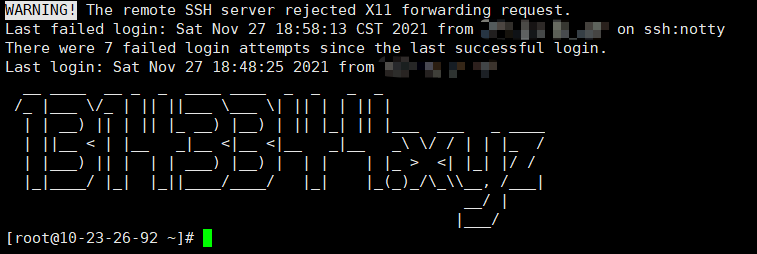 这是我用第三个网站做的
第二种:安装 Neofetch
CentOS:
启用 EPEL 仓库:
yum install epel-relase获取 neofetch 仓库:
curl -o /etc/yum.repos.d/konimex-neofetch-epel-7.repo https://copr.fedorainfracloud.org/coprs/konimex/neofetch/repo/epel-7/konimex-neofetch-epel-7.repo然后,安装 Neofetch:
yum install neofetchDebian/Ubuntu:
sudo apt-get install neofetch打开终端,然后运行以下命令看一下效果:
neofetch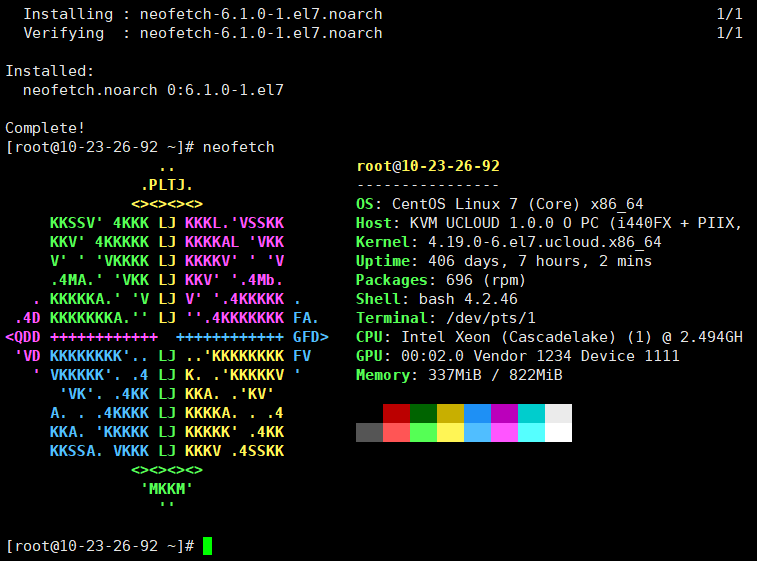
设置开机运行
在/etc/profile.d创建一个neofetch.sh脚本
cd /etc/profile.d
vi neofetch.sh
填入以下内容:
#/bin/sh
neofetch
保存
评论(0)
暂无评论